Medsync Doctor OS for web and Android
Medsync offers Doctor OS Pro free for one year to verified doctors. The year starts on account verification and includes every Pro feature on web and Android for ₹0. Manage appointments, queue tokens, digital prescriptions and follow-ups in one place. iPhone app coming soon to the App Store.
QUEUE & TOKEN MANAGEMENT
A clear next step.
For every patient.
Bring reception, the consultation room and the waiting area into one connected queue. Issue tokens, track each visit and make it clear who is next.
- Manage the day’s queue. Follow Waiting, In Consultation and Completed visits from your dashboard.
- Issue and print tokens. Give patients a clear reference for their place in the queue.
- Bring the queue to the waiting room. Show the current and upcoming tokens on a dedicated display.
- Make the call visible and audible. Use fullscreen, light or dark themes, chimes and optional voice announcements on supported devices.
Please proceed to consultation
AUTOMATED WHATSAPP MESSAGES
Keep patients informed.
Without the manual follow-up.
Let routine clinic updates happen automatically. Once enabled, DoctorOS connects supported WhatsApp messages to appointments and follow-up schedules, so your team does not have to compose each update.
Appointment booked
A confirmation with the appointment date, time and doctor.
Plans change
Updated details when an appointment is rescheduled, or a cancellation notice.
A visit is approaching
A scheduled appointment reminder to help patients prepare.
A follow-up is due
A return-visit reminder based on the follow-up date recorded in the prescription.
Your appointment is confirmed for tomorrow at 10:30 AM. We look forward to seeing you.
A reminder about your upcoming appointment. Please arrive at your scheduled time.
Your follow-up is due today. Please contact the clinic to arrange your return visit.
Illustrative messages. Actual wording follows the enabled templates.
Token messages, too. Share the issued queue token automatically when queue alerts are enabled for your setup.
Messaging activation, approved templates and valid patient WhatsApp numbers with permission to receive updates are required. Messaging features included in Pro are covered during your free year. Message delivery is subject to WhatsApp availability.
MEET MEDPILOT
Your practice, one question away.
Find the information you need and move into the right workflow. MEDPILOT helps with appointments, patient searches, prescriptions and follow-ups from inside DoctorOS.
Built to support practice workflows. Clinical decisions stay with you.
Show today’s appointments
Find a patient’s visit history
Show follow-ups due today
Request a DoctorOS walkthroughDesigned around how doctors actually practice.
Legacy medical software forces doctors into complex menus and unnecessary clicks. DoctorOS puts clinical clarity first—giving you instant patient context, zero-friction documentation, and complete operational control over your clinic.
Clinical Speed
Create digital prescriptions with reusable templates, medicine entries and printable PDFs reviewed by the doctor.
Complete Context
Access longitudinal patient history, past prescriptions, vitals trends, and diagnostic reports instantly from any screen.
Operational Control
Coordinate live OPD patient queues, appointments, billing, and reception staff permissions effortlessly.
Everything your practice needs in one OS.
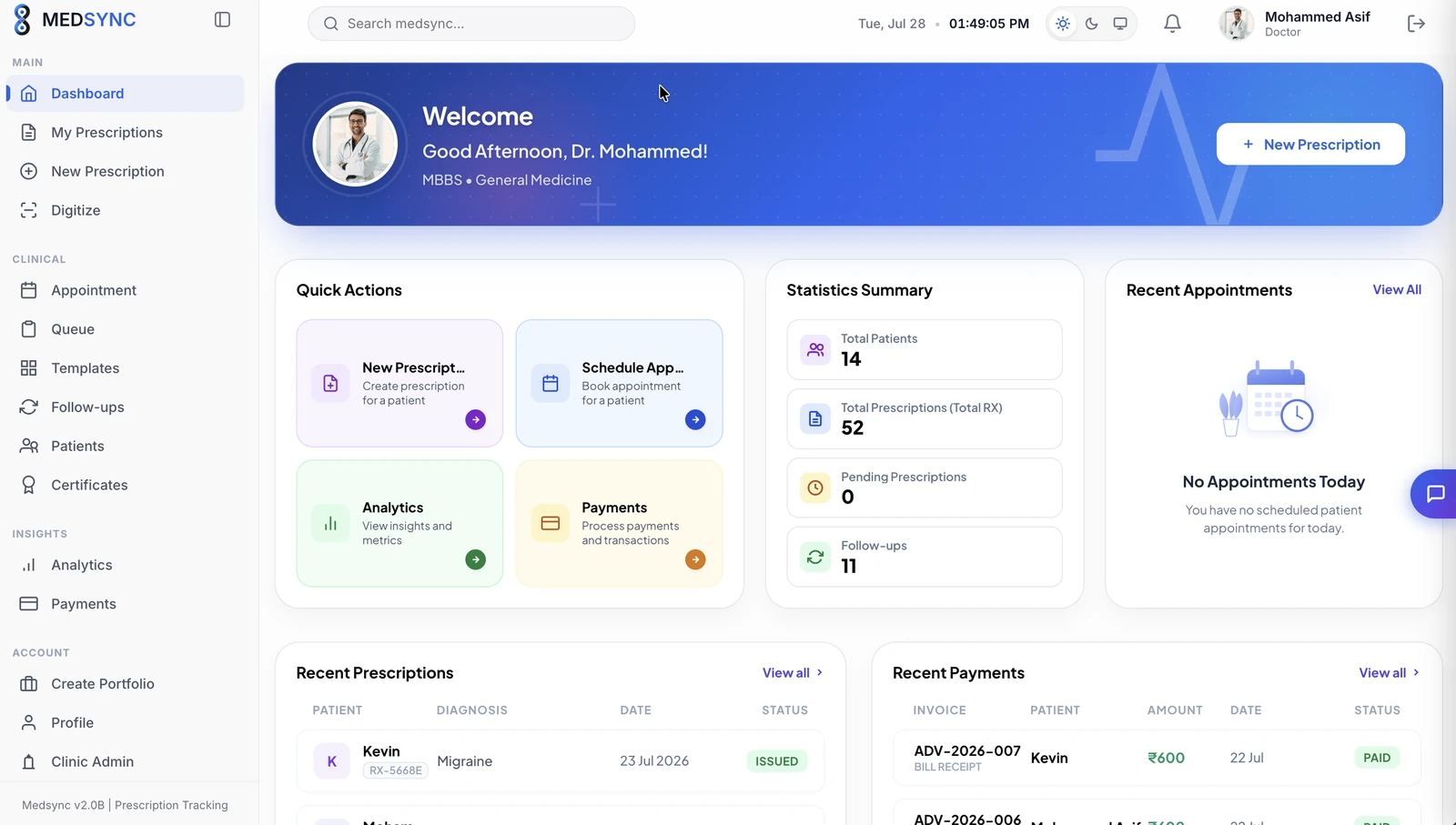
Dashboard
Real-time summary of daily consultations, active patient queues, appointments, and quick action shortcuts.
My Prescriptions
Instant access to all historical signed prescriptions, filterable by date, patient name, or drug protocol.
New Prescription
Create digital prescriptions with medicines, instructions and reusable templates, then review and issue a PDF.
Digitize Prescription
Convert paper prescriptions and handwritten notes into structured digital health records with 1-click scanning.
Appointments
Comprehensive scheduling system with custom time slots, booking status, and instant calendar synchronization.
Queue Management
Issue and print tokens, track Waiting, In Consultation and Completed visits, and keep reception connected to the doctor’s queue.
Waiting-Room Token Display
Open a doctor-specific token screen with fullscreen, themes, chimes and optional voice announcements on supported devices.
WhatsApp Automation
Automate supported booking updates and reminders after messaging setup. Token-issued alerts are available when queue messaging is enabled.
MEDPILOT
Find appointments, search patient records, review follow-ups and navigate clinic workflows with simple requests.
Prescription Templates
Create custom template libraries for frequent diagnoses, default medicines, dosages, and instruction sets.
Follow-ups
Record follow-up dates and send scheduled WhatsApp reminders when messaging is configured and enabled.
Patient Management
Centralized patient directory tracking medical history, allergy logs, lab test history, and family profiles.
Certificates
Generate 1-click signed medical leave, fitness, vaccination, and referral certificates on official clinic letterhead.
Analytics
Visual analytics tracking daily consultation volume, repeat visit rates, peak hours, and overall practice growth.
Payments
Record consultation fees, accept instant UPI QR code payments, and generate GST-compliant clinic receipts.
Portfolio
SEO-optimized public profile web page showcasing qualifications, timings, clinic location, and direct online booking.
Doctor Profile
Manage medical council registration numbers, digital signatures, specialization badges, and letterhead headers.
Clinic Administration
Manage staff accounts, receptionist permissions, multiple clinic branches, and security audit logs.
Bug Reporting
Direct 1-click support channel for feature requests, technical troubleshooting, and instant system assistance.
Notifications & Settings
Manage clinic preferences, notification settings and prescription layouts from one place.
From patient check-in to follow-up care.
Register Patient
Add the patient’s details and find existing visit records before the consultation.
Schedule Appointment
Book a visit and trigger a WhatsApp confirmation when messaging is enabled.
Manage Queue
Issue a token, track consultation status and show upcoming tokens in the waiting room.
Create Prescription
Review medicines and instructions, then issue a digital prescription and printable PDF.
Track Follow-up
Record a return date and let enabled WhatsApp reminders support the next visit.
Engineered to elevate your practice.
Faster Consultation
Bring appointments, patient records and prescriptions into one connected workflow.
Digital Prescriptions
Create readable prescriptions with your clinic details, medicines and instructions.
Better Patient Experience
Keep patients informed with clear tokens, waiting-room displays and enabled WhatsApp updates.
Connected Patient Records
Keep patient records and visit history available to your practice in DoctorOS.
Smart Clinic Management
Seamlessly synchronize receptionist, doctor desk, and billing desk.
Real-time Analytics
Visual practice dashboards tracking patient volume, revenue, and retention.
Modern software vs. Traditional registers.
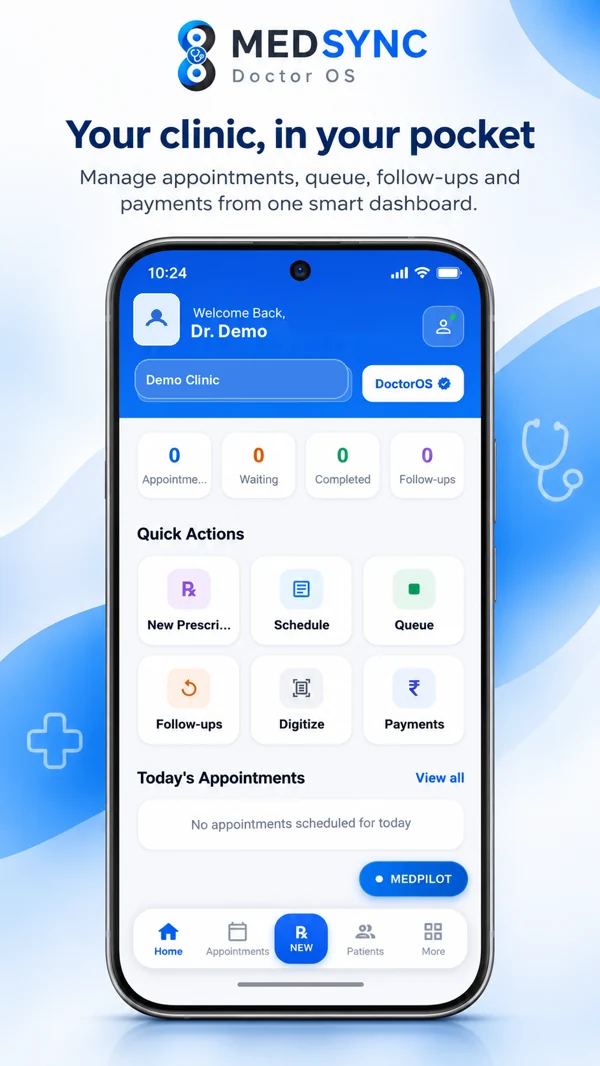
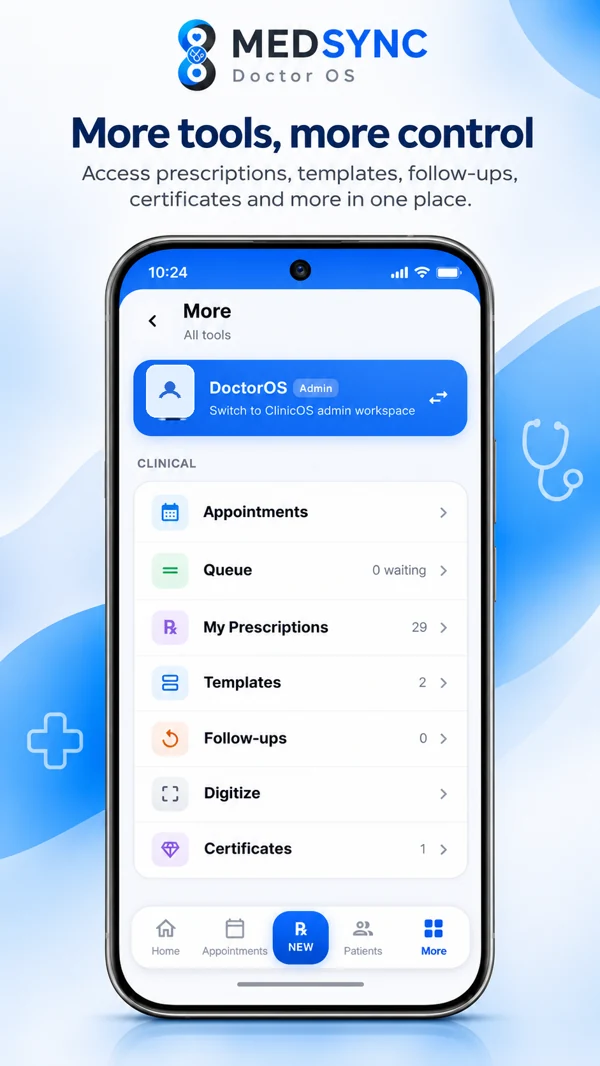
Your practice at the clinic and in your pocket.
DoctorOS works across web and mobile so the core clinical workflow stays connected when you move away from the desk. Use the web dashboard for the full clinic workspace and the Doctor app for the essentials you need on the go. iPhone app coming soon to the App Store.
BEFORE YOU GET STARTED
Questions from the clinic desk.
How do queue tokens work?
Add a patient to the queue, issue a token and move the visit from Waiting to In Consultation to Completed. The queue helps the doctor and reception team follow the same visit status. Token slips can also be printed.
Can I show tokens on a waiting-room screen?
Yes. Open the token display for the selected doctor in a supported browser on your display or connected computer. It shows the current token and upcoming tokens, with fullscreen, theme, chime and voice announcement controls. Sound and voice depend on browser permissions and device support.
Which WhatsApp messages are automated?
Supported workflows include booking confirmations, appointment changes, appointment reminders and follow-up reminders. Once messaging is configured and enabled, these are triggered by the corresponding clinic activity or reminder schedule, without manually composing each message. Token-issued messages are available when queue alerts are enabled.
What is needed to enable WhatsApp messaging?
Your clinic needs messaging activation, the required approved templates and valid patient WhatsApp numbers with permission to receive messages. The Medsync team can confirm setup and which messages are included in Pro. Delivery depends on WhatsApp availability and the recipient’s number; it is not guaranteed.
What can MEDPILOT help me with?
Ask for today’s appointments, find patient records, review follow-ups or open a practice workflow. MEDPILOT helps you navigate and retrieve information from your practice. Clinical decisions remain with the doctor.
When does my free year of Doctor OS Pro begin?
Your free year starts on the day Medsync verifies your doctor account. Use every Pro feature on the web and Android app for ₹0.
How do I get started on web or mobile?
Register your doctor account and complete verification. Our team activates your Pro access. Sign in with the same account on the web or download Medsync Doctor OS from Google Play. iPhone app coming soon to the App Store.
Need help choosing a setup? Talk to the Medsync team.
Ready to Transform Your Clinic?
Join thousands of doctors and healthcare professionals delivering modern, connected care with DoctorOS.